

How Can We Help?
2.02 Post an article to our Social Media channels
To reach an even bigger audience, we share (nearly) all our posts to Facebook and Twitter. Before, you had to do this manually after publishing. With Nelio (our awesome content plan tool) you can plan your social posts from your article! You don’t need to go to our social media platforms anymore. If you’re in an article, scroll all the way down until you see ‘Social Media’. Click ‘Add Social Message’ and you’re already halfway there.
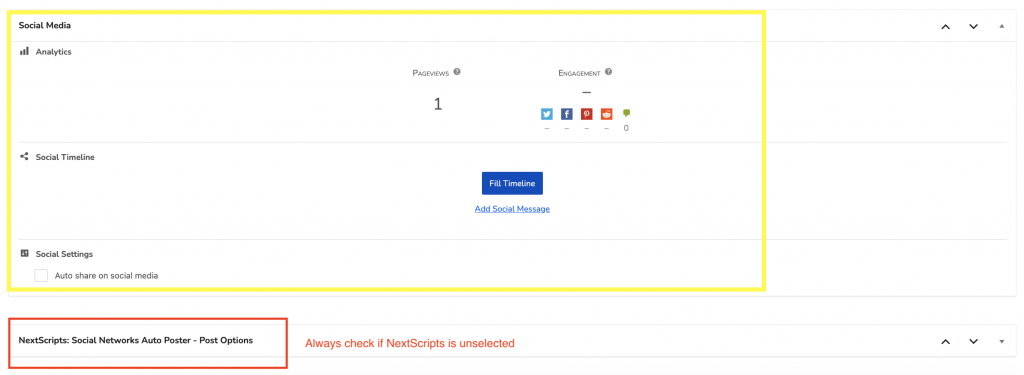
Note: Our previous tool was called NextScripts. It’s still there. Always make sure that this tool is unselected. You don’t want to mess up your content planning!
Ready to post?
Choose your type of social media first. Click the social icon for Twitter, Facebook or Instagram. Always make sure to click on the ‘logo’ item to select the social accounts of Festileaks.
Select a date and time for your social posts. You can always check the content calendar to see if anything will clash. If we post two socials at the same time we won’t reach as much people like we want to.
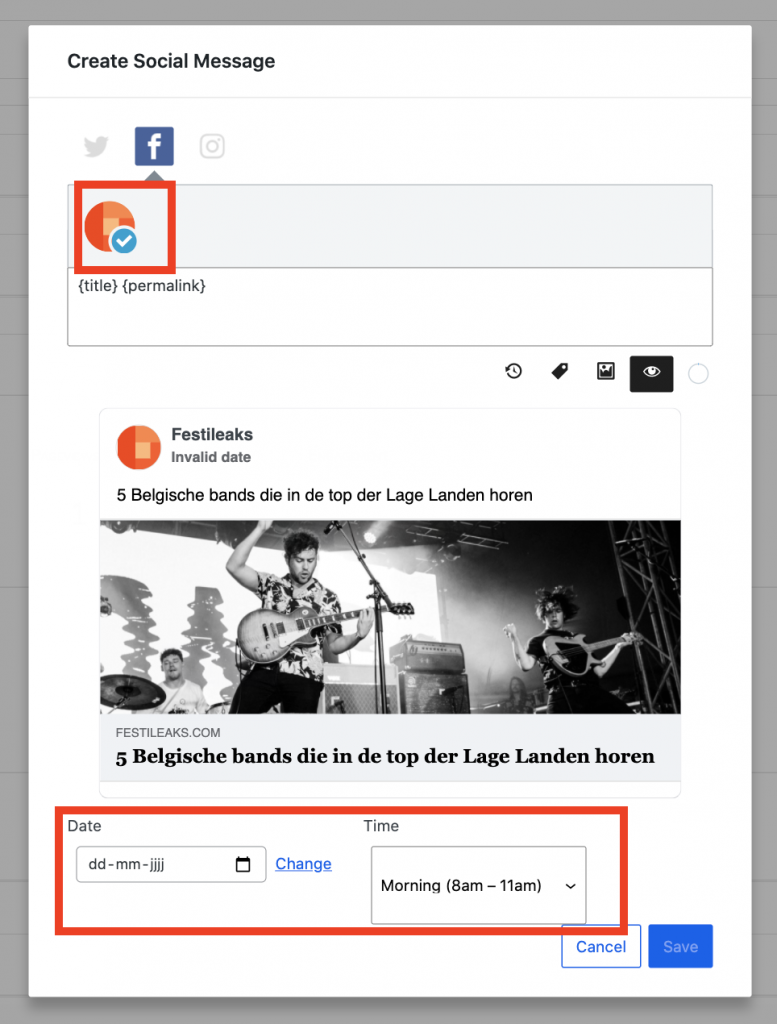
If you have selected the right account, date and time, you can get creative with your social post. Always use the {permalink}, otherwise your article won’t be linked.
You can remove {title} if you want to have another title than your article. Add an original caption and make sure you check the right tags of the artists and festivals you want to refer to.
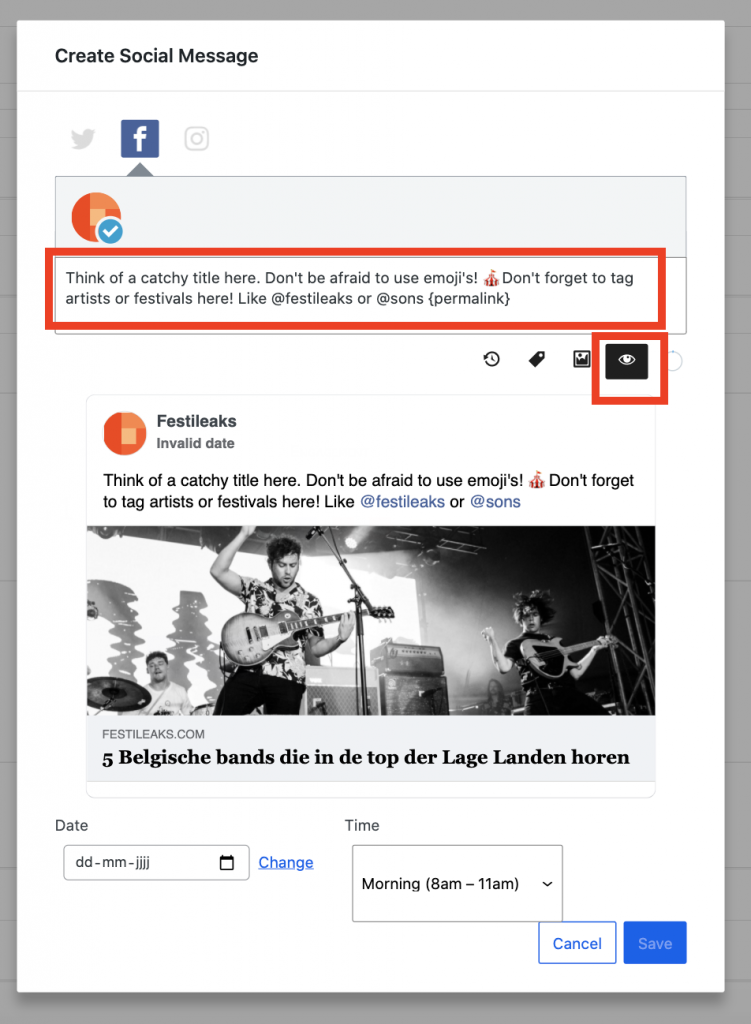
Tips for creative captions
Please do make sure there is enough variety. Asking ‘Are you happy with this?’ every time will bore people. Also, please tag everything that has its own page. You do this by starting with with an at sign (@). For example, if you used the word ‘Pinkpop’ in the text, delete it, type ‘@Pinkpop’ and select the page ‘Pinkpop Festival’.
- Add a second piece of information (for example ‘Ticket sales start next week’ or ‘Earlier this month, Muse and Red Hot Chili Peppers were announced’);
- Encourage interaction (for example: ‘What is your favourite addition?’ or ‘Who really needs to go to this festival with you?’);
- Go after likes with a really enthusiastic comment (‘Wow! What a lineup!’).
Add a social post from the calendar
You can also add a social post (mainly for Instagram) from our Content Plan Tool Calendar. Read about this in chapter 2.11!